
Here is how a learner typically registers and takes a course:
Step 1: Register an Account
- If you are a new user, you must first register an account on the website. This can usually be done by clicking a Register or Sign Up button located in the site’s header or on a course page.
- You will be asked to provide an email address, a username, and a password.
Step 2: Find and Enroll in a Course
- After registering, you can browse the courses on the website. You can find courses by category, using a search bar, or viewing a list of all available courses.
- Once you find a course you are interested in, click on it to go to the course page.
- On the course page, you will see a button to enroll.
- For Paid Courses: Click a button like Get Started or Buy Now. You will be directed to a checkout page to complete the purchase.
- For Free Courses: Click an Enroll Now or Take this Course button to gain instant access.
Step 3: Access and Begin the Course
- Once enrolled (either by purchase or for free), the course will be added to your personal profile or dashboard.
- You can access your enrolled courses by logging in and navigating to your profile page, which often has a section titled “My Courses.”
- From your course list, click on the course you wish to take.
- You will be taken to the course curriculum, where you can start with the first lesson and work your way through the content, including lessons, quizzes, and other materials.
 How do I join a live or online class?
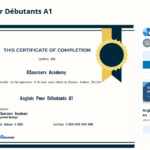 Do I get a certificate when I finish a course?
 Google
  Facebook